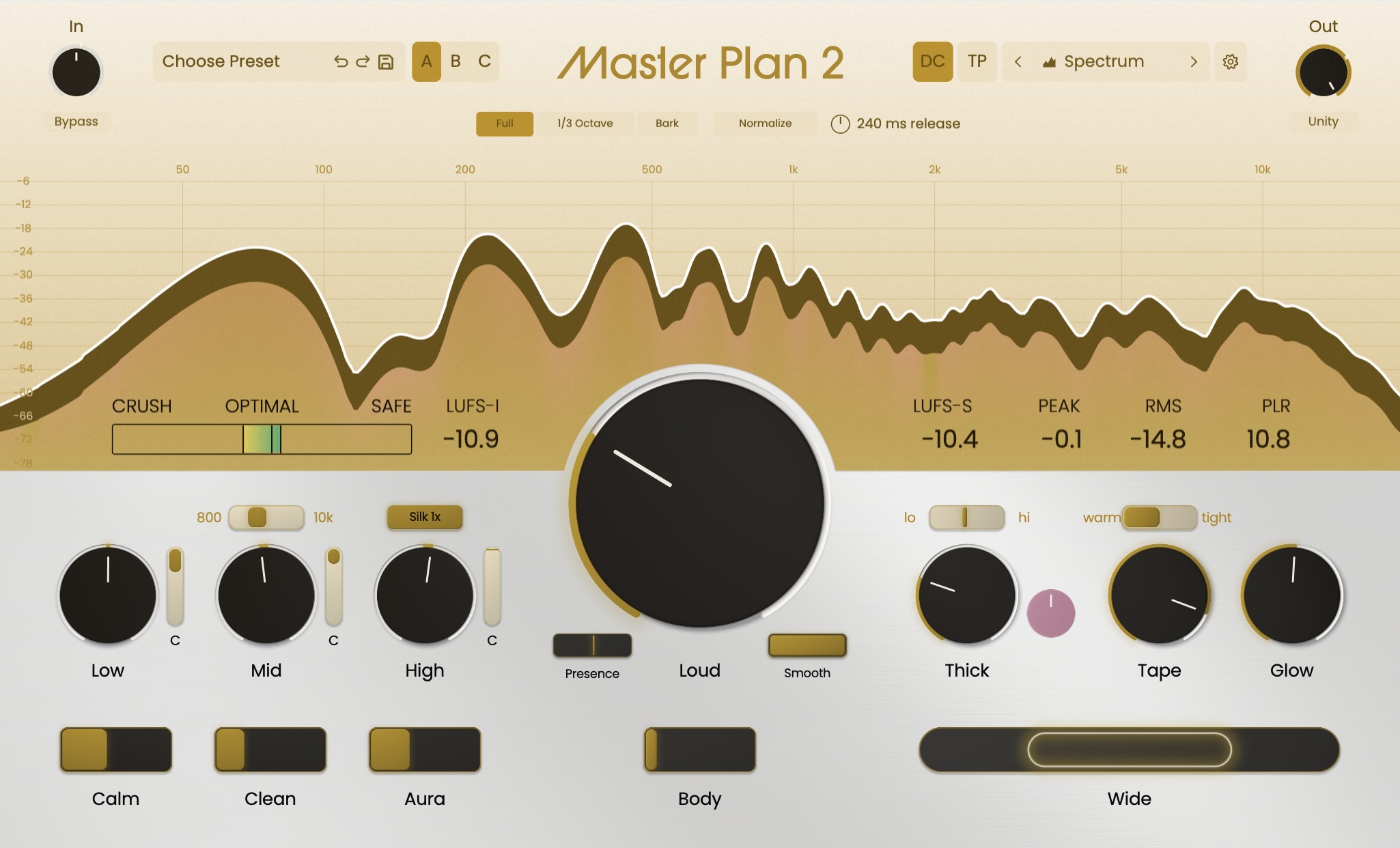




Happy Halloween! Master Plan 2 udpate 1.0.4 is out! We did it scary fast!
We listened to as much feedback as we could in the span of a work week and got this ready for you with the help of the beta team (thank you!) In particular I'd like to thank Chris Ibbetson, who alerted us very early to some Cubase Windows issues, jumped into the beta team, and inspired me to spend a lot of time with Windows Direct 3D graphics drivers and learning about a lot of stuff I hope very dearly to forget as soon as possible. I think I've forgotten 3/4 of it already.
In any case, we have a lot of bug fixes and performance improvements, along with a few features packed in here, but the rundown is after this paragraph. You should check out the lower left of the reference screen, where you can now select the graph you want to see, have rearranged the controls a bit for better ergonomics, and allowed you to click and start playback outside the loop region (yeah, I know, that one was annoying). In any case, we fixed so much that I used AI for one thing it's harmlessly very good at, namely, making a decent summary of a lot of information. Without further ado:
- Fixed Windows keyboard handling, including in Cubase: typing stays within active text fields, while DAW shortcuts are forwarded when text entry is inactive.
- Added an LL toolbar button for quickly toggling low-latency mode. Offline bounces automatically use the Normal or Pristine quality selected in Settings.
- Added independent power controls for the Low, Mid, and High compressor bands and presence. Each band can now be disabled without disabling its corresponding EQ section or losing its threshold setting.
- Added Spectrum, EQ, and Optimal views to the Reference page, with the selected view remembered.
- Added direct Master/Reference audition selection beside the reference charts, with a clearer indication of the active source.
- Added the Master saturation overlay to reference-comparison spectra.
- Added Enlarge diffs to make subtle normalized spectrum differences easier to see. It enlarges the displayed difference sixfold and defaults to Off.
- Full Metering now follows the main Spectrum normalization and difference-enlargement settings.
- Added Extra snapshot: Off/On under Settings → Engine. Off provides an A/B toggle; On exposes individually selectable A/B/C snapshots.
- Fixed reference-file drops being intercepted and rejected on macOS. Unsupported files now produce a useful error instead of being silently rejected.
- Added click-to-seek auditioning throughout the reference waveform.
- Fixed loop handles collapsing together. Normal dragging maintains at least one bar of separation; Shift-dragging allows a one-beat minimum.
- Added clear M, R, and Δ labels and arranged comparison readouts as Master, Reference, then Difference.
- The reference waveform now dims while Master is selected, making the audition state easier to recognize.
- Matched the playback cursor to the Reference color and improved source-selection highlighting.
- Simplified the Reference controls and expanded the monitoring row.
- Added the ability to choose reference charts.
- Stabilized the bass spectrum, reducing excessive movement in low-frequency readings and removed false low-frequency spectrum activity caused by DC offset.
- Corrected Legacy-mode EQ and phase displays to account for the active filters, Width, and Multipressor response.
- Restored the Optimal loudness meter in Legacy mode and corrected it to follow Legacy Loud settings.
- Fixed Optimal readings repeatedly restarting during short DAW loops or timeline seeks.
- Improved clearing of stale analysis when changing engines or processing quality, bypassing, resetting meters, or reopening previously hidden views.
- Improved the contrast of Gain-history minimum-value labels in light and dark appearances.
- Made input and output gain target markers consistently sized and positioned outside the knob tracks, improving visibility and click targeting.
- Corrected handling of the backslash snapshot shortcut so it does not also trigger a host shortcut.
- Fixed the updater offering an older release as an update.
- Added clearer update-failure messages for offline connections, timeouts, unreachable servers, server errors, save failures, and insufficient disk space.
- Failed update checks can now be retried from Settings.
- Reduced unnecessary CPU use when the editor is closed, reference meters are hidden, or true-peak measurements are not needed.
- Reduced CPU use in tone processing while preserving its sound.
- Reduced avoidable editor waits when graphics resources are busy.
- Fixed a Windows rendering-error condition that could prevent subsequent frames from drawing.
- Corrected specific Windows rendering problems during resizing and graphics recovery, including lost or incorrectly rendered fills.
- Reduced competing reference-analysis work across multiple instances while allowing audio loading and loop preparation to continue.