



Stereo imaging is one of those aspects of mastering that contributes to the perception that mastering is some kind of “dark art.” It’s crucial - wide masters are lively and engrossing - but easy to screw up. Pushing too hard on some stereo imaging or width-enhancing plugins can hollow out a mix and mess with phase relationships, making for terrible translation, especially when mono folddown is a factor.
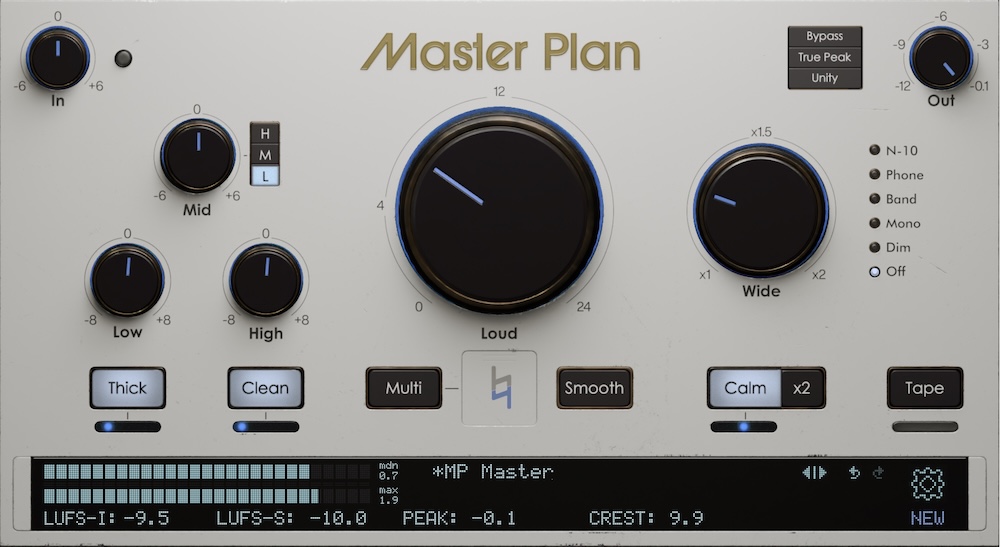
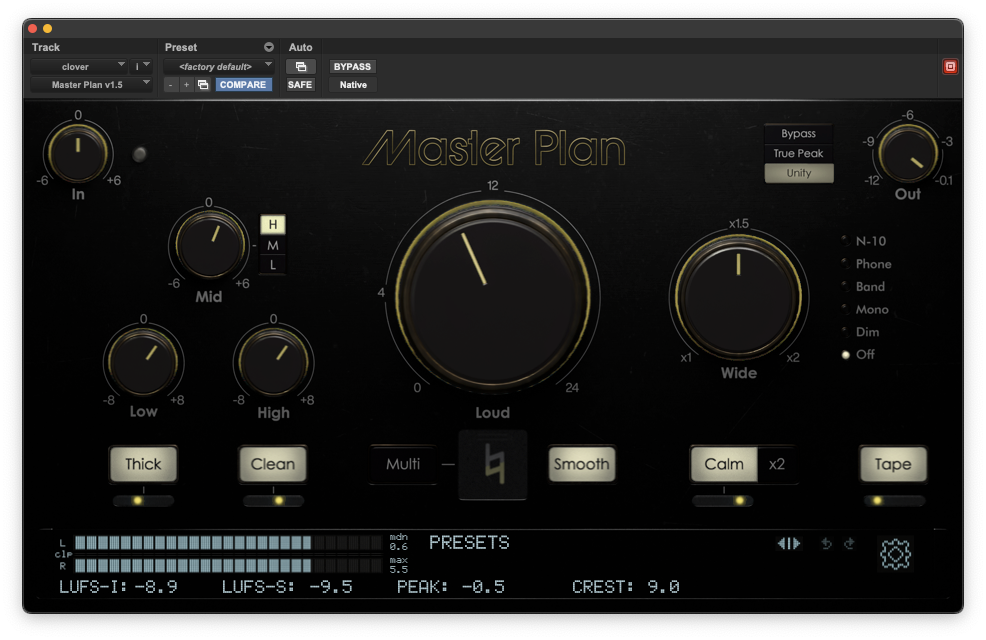
Though it might be fun to play “mad scientist” with stereo imaging plugins, we decided the best route to polished stereo width was to simplify things. The result is Master Plan’s Wide knob. At zero, it’s your starting point; cranked up, the track will be noticeably wider. How much wider? Well, probably not too wide. That’s by design. And importantly, that width will not come at the expense of phase smearing or folddown issues.
That said, dialing in Wide merits a little more discussion than “turn Wide up to where it sounds good and stop.” Just a little.
Wide is the second biggest knob (after Loud), and we recommend you take that as a hint to dial it in second. Get your overall loudness set, then start turning up Wide. You’ll notice information toward the edges of the stereo field coming more into focus. Backup vocals, percussion and cymbals, hard-panned guitars, or spacey keys and synths - whatever those layers are in your mix - will start to come forward. Mmm, yeah, sounds good! So where’s the sweet spot?
A good metric is how the information on the sides is proportioned to what’s in the center: usually lead vocals, bass, kick, snare… in other words, really important stuff. If the layers on the sides start eclipsing any of those can’t-compromise elements, stop and back off. Like with so much effects processing, I recommend going to the edge of where you can tell it’s helping, but also know it isn’t causing problems.
Once you’ve got Wide set, move on to the EQ section. Certain EQ moves - in particular, adding high frequency or upper midrange energy - will bring out layers that live on the sides: percussion, backup vocals, crunchy guitars, etc. If you like those EQ boosts sonically but they shift the balance musically, back off Wide a bit after your EQ is set.
Other controls - notably Thick, Tape, and (boosting) Low - will tend to beef up layers with a strong center presence. As you dial those up, you might want some of that Wide back, so the airier elements on the sides stay in focus. This might also be true after taming unruly high end with Calm.
Mixes are systems, and no change you make happens in a vacuum. Tweak X over here, and the context for Y changes over there. That means we have to listen to how our choices impact what we’re hearing and respond accordingly. That’s probably not news to you. It’s kind of what making music is all about!
So crank up the width of your mixes, stress test them in the real world, go back and tweak them, rinse and repeat. The good news is that Master Plan, like all our plugins, makes it easy to experiment and hard to screw things up.